This article contains affiliate links; if you buy through them we may earn a commission at no extra cost to you. Full affiliate and editorial disclosures are at the end of this article.
Is Rytr worth it in 2026? Yes — for short-form content. In our hands-on testing, Rytr was the best-value AI writer for emails, ad copy, social posts, and blog outlines, starting at $9/month (or free for 10,000 characters/month). It’s not the tool for one-click long-form articles — no tool at this price is.
Last tested: August 8, 2026 — output re-tested hands-on and pricing re-verified against Rytr’s official pricing page the same day.
This Rytr review is built on real testing — drafting actual blog content with the tool, comparing output against tools we already use, and pulling pricing straight from Rytr’s official page rather than third-party listings. If you’re trying to decide whether Rytr is worth signing up for in 2026 — paid or free — the answer depends on what you’re actually writing.
Below: the current 2026 pricing, exactly what the free plan includes, real output quality from hands-on tests, an honest Rytr review of where it falls short, and how it compares to Frase for SEO-driven workflows.
Bottom line upfront: Rytr is the best-value AI writing tool we’ve tested for short-form content like emails, ad copy, social posts, and blog outlines. It’s not the right choice if you need polished long-form articles with one click — no tool at this price point is. Try Rytr free here → (no credit card required).
Rytr, in short: templates instead of a chat box
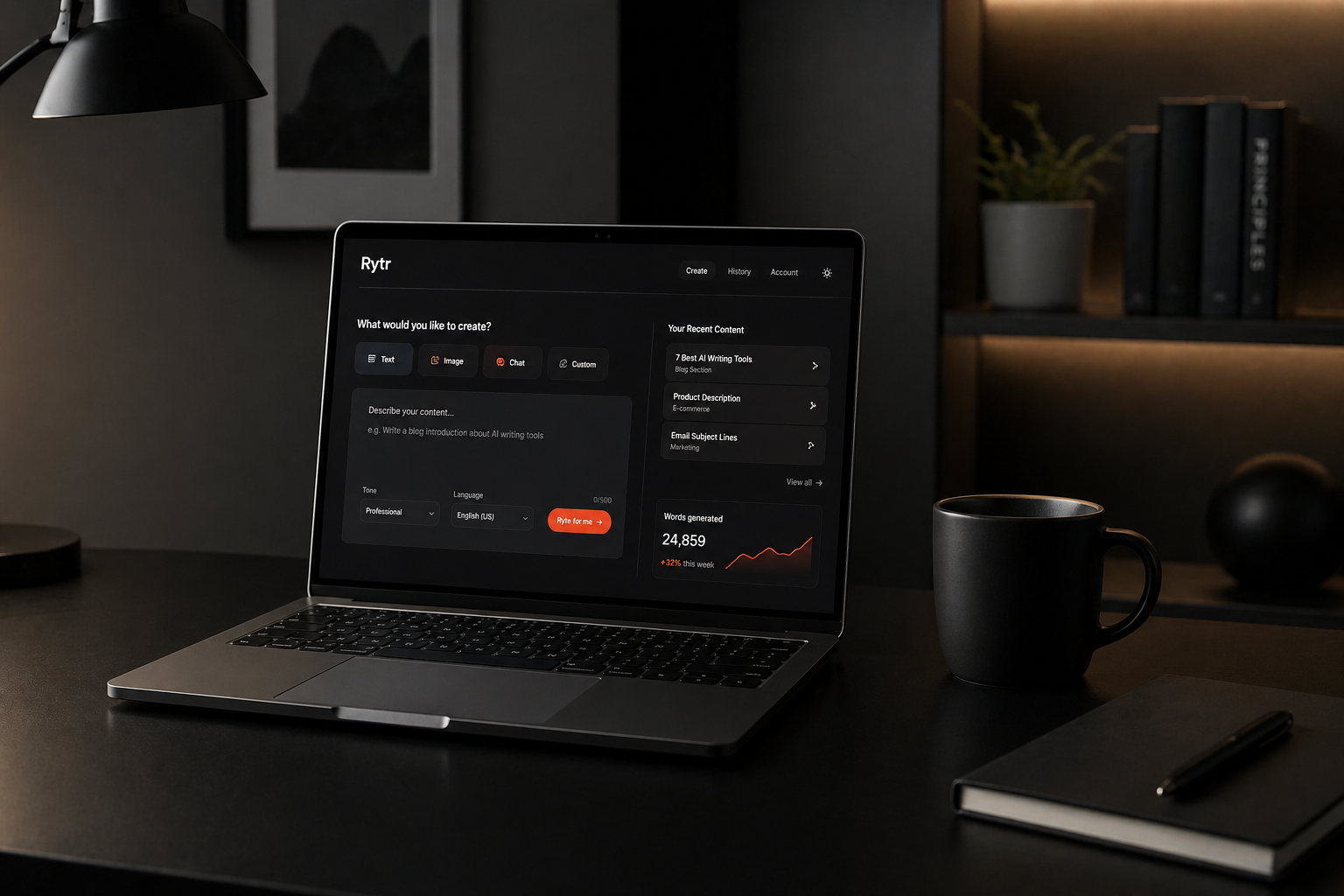
Before getting into the Rytr review proper, here’s the quick context. Rytr is an AI writing assistant built around templates rather than an open chat box. You pick a use case (blog intro, product description, email reply, ad headline), give it a few words of context, choose a tone, and Rytr generates the copy. It’s positioned as the budget option in the AI writing space — and the pricing reflects that.
Rytr launched in 2021 and now serves over 8 million content writers (per Rytr’s own pricing page). It’s positioned around speed and affordability rather than feature breadth, which is why the pricing has stayed below most competitors. Under the hood, Rytr’s help center states it runs GPT-3-based language models from OpenAI, fine-tuned for each use case — consistent with the output we saw in testing: fast, usable first drafts that still need a human edit.
The bloggers Rytr suits, and the ones it will frustrate
Rytr is a strong fit if you’re:
- A blogger producing 2-4 posts per week who wants help with first drafts, outlines, and meta descriptions
- A solo content creator on a tight budget — under $10/month is genuinely rare in this category
- A freelance writer using AI to speed up research, outlining, and short-form deliverables
- A small business owner writing your own marketing copy and email sequences
Rytr is not the right fit if you:
- Need polished, publish-ready long-form articles without editing — pair with a dedicated long-form tool
- Need deep SEO optimization with SERP analysis and content scoring — use Frase or NeuronWriter
- Run a team that needs collaboration, role-based access, and shared brand voice profiles
- Need built-in image generation as your primary use case
Most bloggers and content creators fall into the first group. If you’re already paying for ChatGPT Plus and feel like you’re prompt-engineering more than writing, Rytr’s template-first approach will probably feel faster.
Rytr pricing in 2026, and the feature gates the price doesn’t show
Rytr restructured its plans for 2026. The old “Saver” tier name is gone — there are now three plans: Free, Unlimited, and Premium. Pricing and feature gates below are taken directly from Rytr’s official pricing page, verified for this Rytr review.
How much does Rytr cost per month?
| Plan | Monthly | Annual (per month) | AI generation | Plagiarism checks | Languages | Best for |
|---|---|---|---|---|---|---|
| Free | $0 | $0 | 10,000 chars/mo | None | 1 | Testing the tool |
| Unlimited | $9 | $7.50 (2 months free) | Unlimited | 50/mo | 1 | Active bloggers and creators |
| Premium | $29 | $24.16 (2 months free) | Unlimited | 100/mo | 35+ | Multi-brand creators & agencies |
Three things are worth flagging before you pick a plan, because they’re not obvious from the price alone:
- Languages: Free and Unlimited plans support one language (English). The 35+ languages Rytr advertises only unlock on the Premium plan.
- Plagiarism checks: The Free plan has zero plagiarism checks. The Unlimited plan includes 50/month, Premium includes 100/month.
- Tone matching: The Free plan has no tone matching. Unlimited gets 1 tone match (you train Rytr on one brand voice). Premium supports multiple tone matches — that’s the actual reason agencies pay for Premium.
For most solo bloggers, the Unlimited plan ($9/m or $7.50/m on annual billing) is the sweet spot. The jump to Premium really only makes sense if you write in non-English languages, manage content for multiple brands, or want custom use cases beyond Rytr’s 40+ templates.
See Rytr’s current plans here →
Heads up if you’re comparing Rytr reviews online
Rytr restructured its plans in 2026, so older reviews you find via search are likely showing outdated information. The biggest changes:
- The middle plan used to be called Saver with a 100,000-character monthly limit. It’s now called Unlimited with no character cap.
- The top plan used to be called Unlimited. It’s now called Premium.
- The 35+ languages and custom use cases used to be available at the lower paid tier. Both now require Premium.
If you read a Rytr review citing “Saver plan” or “100,000 characters” — it’s outdated. Numbers in this review reflect Rytr’s current 2026 pricing page.
The free plan’s 10,000 characters — and what eats them
Rytr’s free plan is genuinely useful — but it’s narrower than most third-party reviews claim. Here’s exactly what’s in and out, verified from the official pricing page.
The free plan gives you 10,000 characters per month — roughly 1,500-2,000 words depending on output formatting. In practical terms: enough for one short blog post, four to six social media captions, or about ten product descriptions. It’s enough to genuinely evaluate whether Rytr fits your workflow before paying anything, but not enough to draft a full long-form article.
Included on the free plan:
- 10,000 characters of AI content generation per month
- Access to all 40+ use case templates (no template gating)
- 20+ pre-programmed tones of voice (humble, casual, convincing, etc.)
- Chrome extension
- Access to Rytr’s user community
- One language (English)
Not included on the free plan (these are paid-only):
- Plagiarism checks — the free plan has zero. You need the Unlimited plan ($9/m) for 50 checks per month or Premium ($29/m) for 100.
- Tone matching — training Rytr on your own brand voice is paid-only. The 20+ pre-programmed tones above are free; matching your writing style isn’t.
- Multilingual writing — the 35+ languages Rytr advertises require the Premium plan. Free is English only.
- Custom use cases — building your own templates beyond Rytr’s 40+ defaults requires the Premium plan.
- Priority support
The free plan resets monthly. There’s no credit card required to sign up, and Rytr does not auto-upgrade you when you hit the limit — the tool simply stops generating until next month or until you upgrade. That’s an honest free plan.
For the full credit-by-credit math on what 10,000 characters actually buys you — including the input-counting catch that surprises most new users — see our Rytr Free Plan 2026 deep-dive. New to the tool? Our step-by-step Rytr tutorial walks through setup and the best templates for bloggers.
Start Rytr’s free plan — no credit card →
Features that earn their place — and a few that don’t
40+ Use Case Templates
The template library is Rytr’s main draw. The breadth is genuinely wide — beyond the obvious (blog section writing, blog outlines, SEO meta descriptions, email replies, product descriptions), the library covers Quora answers, copywriting frameworks like AIDA and PAS, cover letters, real estate listings, and YouTube video descriptions. Each template provides its own purpose-built input form rather than a generic prompt box, which is the main reason Rytr feels faster than ChatGPT for repeatable blogger workflows: the prompt engineering is done for you. The bloggers’ core templates are the strongest of the bunch. A handful (song lyrics, poem generator, story plot) feel novelty-tier and most readers will never use them — but having them costs you nothing.
Tone Control
Twenty-plus pre-programmed tones including convincing, enthusiastic, formal, casual, and humble — available on every plan, including free. Switching the tone meaningfully changes the output rather than just swapping a few adjectives. Tone matching (training Rytr on your own writing samples) is a separate paid feature: one tone match on the Unlimited plan, multiple on Premium.
Built-In Plagiarism Checker
Rytr’s plagiarism checker runs inside the editor, so you can check and rewrite content without switching tools. It’s a paid feature — not available on the free plan. The Unlimited plan ($9/m) includes 50 checks per month; Premium ($29/m) includes 100. For most blog content that’s plenty. If you’re doing high-stakes academic or legal work where every paragraph needs verification, you’d still want a dedicated checker like Copyscape Premium alongside it.
Chrome Extension
The browser extension lets you trigger Rytr inside any text field — Google Docs, WordPress, Gmail, Notion. We use this more than the main app for short-form work. Reliable, lightweight, no auth headaches.
SEO Tools (Basic)
Rytr includes a keyword analyzer and meta description generator. It does not include SERP analysis, content scoring against competitors, or NLP-based optimization. If SEO is your primary workflow, you’ll still want Frase or NeuronWriter alongside Rytr — Rytr handles drafting, the SEO tool handles optimization.
Image Generation
Rytr offers AI image generation as part of paid plans. Output quality is acceptable for blog post header thumbnails but not strong enough to replace a dedicated image generator if visuals are core to your work. Most bloggers will get more mileage out of pairing Rytr with a dedicated image tool.
Creativity Control (6 Levels)
Worth flagging because it’s quietly more sophisticated than competitors. Every generation has a Creativity dropdown with six explicit levels — None (more factual), Low, Medium, Optimal (the recommended default), High, and Max (less factual). Most AI tools either hide their temperature setting or offer three options. Rytr’s labels are unusually honest about the tradeoff: lower creativity produces more factual but drier output, higher creativity reads better but invents more. For SEO-driven blog content where accuracy matters, “None” or “Low” is the right setting; for short social copy where punch matters more than facts, “High” or “Max” is fine.
Output Quality: How Rytr Performs in Real Use
This is the section every Rytr review should include and almost none do. Here’s a specific test from May 2026.
The test: Blog Section Writing template, “Casual” tone, “Optimal” creativity, 1 variant. Section header: “Why most bloggers waste time writing first drafts manually.” Section keywords: “AI writing tools, blog drafting, save time.” Total input: 100 characters typed into Rytr.
The result: Rytr generated 614 characters (106 words) in under 5 seconds. Here’s the actual output, verbatim:
Why spend hours banging away at a first draft when AI writing tools can help you breeze through it? A lot of bloggers still stick to writing their first drafts manually, thinking it’s the only way to get their thoughts down authentically. But honestly, that old-school approach can eat up tons of time that could be better spent polishing or promoting your content. With AI writing tools, you can whip up a solid blog draft in minutes, giving you more space to focus on what really matters—making your post shine. So next time you’re staring at a blank page, remember: saving time doesn’t mean sacrificing quality!
What’s good: The casual tone genuinely lands — phrases like “banging away,” “whip up,” and “old-school” feel conversational rather than robotic. Both keywords get used naturally without stuffing. The piece has a clear arc: hook, problem, solution, call to action. It reads as one consistent voice rather than stitched-together fragments.
What needs editing: The biggest weakness is that the output describes that bloggers waste time without explaining why. The section title asks a why question; the AI gives a what answer. A human editor would need to add at least one specific reason (“they confuse effort with quality,” “they were taught to write before outlining”). The closing line — “saving time doesn’t mean sacrificing quality” — is a generic cliché. And one sentence is internally contradictory: praising manual drafting for capturing thoughts “authentically” while also calling it a waste of time. None of this is fatal, but a publishable version would need 5-10 minutes of editing.
What it cost: 714 characters of the free plan’s 10,000-character monthly allowance — that’s both the 100-character input and the 614-character output, which Rytr’s dashboard counts together. More on that below in the cons.
Verdict on quality: Solid drafting accelerator with the editing burden you’d expect at this price point. The pattern in our Rytr review testing held: short-form content (meta descriptions, ad copy, social posts) needs minimal editing; mid-length sections like the one above need light editing for substance; long-form articles in one shot are weak.
For different content lengths:
Short-form content (emails, ads, social, meta descriptions): Genuinely good. The output is usable with light editing — a few word swaps, occasional sentence trimming. For meta descriptions specifically, Rytr produces 3-5 variants per generation, which is faster than writing from scratch.
Mid-length content (blog sections, product descriptions, landing page copy): Solid as a starting draft, requires editing for voice. Best workflow: generate one section at a time, edit each before moving to the next, rather than generating a full article in one shot.
Long-form articles: This is where Rytr is weakest. Asking Rytr to write a complete 1,500-word article in one go holds its structure and stays on topic, but it repeats itself — recycling the same point in different words to pad length — and came in short of the word count we asked for. In our latest test, that single long request also ran through more than 80% of the free plan’s 10,000-character monthly allowance in one shot. Use Rytr to write outlines and individual sections — don’t expect a polished long-form draft from a single prompt.
Rytr Pros and Cons
Pros
- Best-in-class pricing — Unlimited plan at $9/month (or $7.50 with annual billing) undercuts most competitors by 50%+
- Genuinely useful free plan with 10,000 characters and full template access
- 40+ templates cover almost every common content type a blogger needs
- Chrome extension works reliably across WordPress, Google Docs, and Gmail
- 20+ pre-programmed tones available even on the free plan
- Clean interface — no learning curve, productive within an hour
- Transparent pricing with no surprise add-ons
Cons
- Long-form output requires significant editing — not a one-click article generator
- The free plan’s 10,000-character limit counts both your input and Rytr’s output, not just the generated text. In practice that’s roughly 10-14 generations per month for short blog sections, fewer if you paste research into the keyword fields
- SEO features are basic; doesn’t replace Frase or NeuronWriter for ranking-focused work
- Plagiarism checker is paid-only — not available on the free plan
- Multilingual writing requires the Premium plan ($29/m); Free and Unlimited are English-only
- Output can become repetitive when generating long sequences
- No team collaboration features beyond a basic team plan
Does Rytr Have a Money-Back Guarantee?
Rytr offers a refund window on paid plans rather than a long money-back guarantee. The smarter approach for most people is to use the free plan first — 10,000 characters is enough to genuinely test whether Rytr fits your workflow before paying anything. Most legitimate use cases will become obvious within an hour of testing.
Annual plans are non-refundable after the standard cancellation window, so if you’re unsure, start monthly and switch to annual once you know you’ll keep using it.
Rytr vs Frase: Which Should Bloggers Choose?
This is the comparison most readers ask about because both tools target bloggers — but they solve different problems.
| Rytr | Frase | |
|---|---|---|
| Starting price | $9/month | $49/month |
| Free plan | Yes — 10,000 chars/month | No — paid only |
| Primary strength | Drafting speed | SEO optimization & SERP analysis |
| Long-form articles | OK with editing | Strong — built around it |
| Short-form content | Excellent | Not the focus |
| Best for | Budget-conscious bloggers | SEO-driven content sites |
Choose Rytr if: You want to draft content faster across many short-form formats and don’t need built-in SERP analysis.
Choose Frase if: Your content strategy is built around ranking on Google and you need SERP-driven optimization more than drafting templates.
Or use both: A common stack we see is Rytr ($9/month) for drafting + Frase ($49/month) for SEO optimization. Total: ~$58/month for a complete content workflow.
Not sure which to start with? Try Rytr free first — its free plan lets you evaluate the drafting workflow before committing to anything paid.
Read our full comparison: Rytr vs Frase: Which Tool is Better for Bloggers in 2026?
Final Verdict: Is Rytr Worth It in 2026?
The honest Rytr review verdict: yes — for the audience it’s built for. If you’re a blogger or content creator producing short-to-mid-form content on a budget, Rytr is the easiest recommendation in this category. At $9/month (or $7.50 on annual billing) the Unlimited plan is about a fifth the cost of premium AI writers and delivers most of the value for blog-focused workflows.
It won’t replace your voice, your research, or your editorial judgment — and you shouldn’t expect it to. But it will cut your time to first draft significantly, especially for the short-form content that eats up a blogger’s week.
Start with the free plan. Ten thousand characters is enough to know within an hour whether Rytr fits how you work.
Try Rytr free today — no credit card needed →
Frequently Asked Questions
Is this Rytr review based on real testing?
Yes. We tested Rytr’s templates on real blog draft work, generated content across multiple tones, and tracked time-to-draft against our normal writing process. Pricing and plan-feature details in this article come from Rytr’s official pricing page, verified before publishing.
How much does Rytr cost in 2026?
Rytr has three plans: Free ($0/month, 10,000 characters), Unlimited ($9/month, or $7.50 with annual billing — unlimited characters), and Premium ($29/month, or $24.16 with annual billing — unlimited characters plus 35+ languages, custom use cases, and multiple tone matches). The Unlimited plan is what most bloggers need.
What does Rytr’s free plan include?
The free plan gives you 10,000 characters per month — roughly 1,500-2,000 words. It includes full access to all 40+ templates, all 20+ pre-programmed tones, and the Chrome extension. No credit card is required to sign up. The plagiarism checker, tone matching, multilingual support, and custom use cases are all paid-only — not available on the free tier.
Does Rytr have a built-in plagiarism checker?
Yes, but it’s paid-only. The Unlimited plan ($9/m) includes 50 plagiarism checks per month; Premium ($29/m) includes 100. The free plan does not include any plagiarism checks. The checker runs inside Rytr’s editor, so you can check and rewrite content without switching tools — convenient for bloggers, though for high-stakes academic or legal work you’d still want a dedicated checker like Copyscape Premium.
Is Rytr good for SEO content?
Rytr handles SEO basics well — meta descriptions, title tags, and SEO-aware blog outlines. It does not include SERP analysis or content scoring. For ranking-focused work, pair Rytr (for drafting) with Frase or NeuronWriter (for optimization).
Is Rytr better than ChatGPT for blogging?
For blogging specifically, the template-first approach makes Rytr faster for repeatable tasks like meta descriptions, blog outlines, and product descriptions. ChatGPT is more flexible but requires better prompting. We use both — ChatGPT for research and brainstorming, Rytr for production drafting.
What’s Rytr’s refund policy?
Rytr has a short refund window on paid plans rather than an extended money-back guarantee. The smarter move is to test on the free plan first — it’s enough to evaluate the tool properly before paying anything.
Can I cancel Rytr anytime?
Yes. Monthly subscriptions can be cancelled anytime and you keep access until the end of the billing period. Annual plans run for the full 12 months once committed.
Disclosures
Affiliate disclosure: This article contains affiliate links to Rytr and other tools. If you sign up or purchase through them, we may earn a commission at no extra cost to you. We only recommend tools we have tested hands-on.
Corporate relationships: Rytr and Frase — which we also review and recommend — are both part of Copyrytr, the brand collective formed when Copysmith acquired both tools in October 2022. Copysmith is the parent company; Copyrytr is the brand-collective name covering its three products (Copysmith, Frase, Rytr). That doesn’t change the recommendations above — we judge each tool on its own merits — but most reviews don’t mention it.
Editorial independence: Our verdicts come from hands-on testing, not commissions. Affiliate relationships never influence our rankings or recommendations.