Last updated May 21, 2026. Workflow steps based on hands-on use of Frase.io; pricing verified same-session from frase.io/pricing.
This article contains affiliate links; if you buy through them we may earn a commission at no extra cost to you. Full affiliate and editorial disclosures are at the end of this article.
Learning how to use Frase.io properly is what separates bloggers who publish content that ranks from those who publish content that disappears. The tool is genuinely powerful — but only if you know which features to use and in what order.
This complete Frase.io tutorial covers everything from account setup to publishing your first fully optimized blog post — including the SERP research workflow, content brief generation, AI writing, and content scoring that makes Frase the go-to SEO tool for serious bloggers. It also covers an important Frase quirk you should know about before you publish anything: the way its AI assistant attributes external citations.
Don’t have a Frase.io account yet? Start your 7-day free trial here — no credit card required →
What Is Frase.io and Why Do Bloggers Use It?
Frase.io is an AI SEO content tool that combines competitor research, content brief generation, AI writing, and real-time content optimization in a single workflow. Instead of jumping between a keyword tool, a competitor analysis tool, and an AI writer, Frase handles the entire process from keyword to optimized draft in one platform.
The core value proposition for bloggers is simple: Frase shows you exactly what the top-ranking pages cover for any keyword — then helps you write content that covers it more thoroughly. This is the most direct path to ranking on Google that exists for independent bloggers in 2026, with one important workflow consideration we cover below.
→ Read our full Frase.io review for a complete breakdown of features and pricing.
Important: Frase’s Citation Issue (Read Before You Publish)
Before you start using Frase’s AI to draft sections, there’s one finding from our hands-on testing you should know about. When Frase’s Write-step AI inserts external citations into your content, the link destinations frequently don’t match the cited source. In our test article: 11 inline links total — 5 misdirected external citations (the link text named one source but the destination URL contained nothing matching that source), 1 weak external attribution, 4 accurate internal links to our own site, 1 unverified.
The pattern: when Frase has crawled the source content (your own site via the Brand Profile feature), citations are accurate. When sourcing external authorities, destinations diverge from claims. This means you should treat Frase’s external links as drafts that need verification, not as finished citations.
The simple fix: add a citation verification step to your workflow before publishing. Click every external link Frase inserts and confirm the destination supports the claim being made. Internal links to crawled sites can be trusted; external links cannot. Build this into your editorial process and Frase remains a powerful workflow tool. Skip it and your readers (and Google’s quality evaluators) will eventually notice.
How to Use Frase.io: Getting Started
Step 1 — Start Your Trial
Go to frase.io and click Get Started. The free 7-day trial requires no credit card and includes a 5-article cap visible inside the dashboard after signup (it isn’t advertised on the public pricing page). That’s enough headroom to run real articles through the complete workflow before committing to a paid plan. Our Frase free trial guide breaks down all seven trial quota counters in detail.
Sign up with your email, complete the onboarding questions, and you’ll land on the main Frase dashboard. Note that the 7-day timer starts at signup, not at first use — so plan to actually use Frase during the trial week.
Step 2 — Understand the Dashboard
When you first log in you’ll see the Frase dashboard with these main areas:
- Documents — your content workspace. Every article you work on lives here
- Templates — pre-built content frameworks for different article types
- Search Console — connect your Google Search Console to track existing content performance
- Team — collaboration features for agencies and teams
For most bloggers the workflow lives entirely inside Documents. That’s where you’ll spend 90% of your time.
Step 3 — Set Up Your Brand Profile (Recommended Early)
Before you write your first article, run Frase’s Brand Profile crawl on your own site. This takes about 90 seconds and dramatically improves the accuracy of internal-link suggestions Frase makes during the Write step. In our testing, internal-link suggestions for a site Frase had crawled were 4 of 4 accurate. The Brand Profile crawl does not consume your article quota.
Step 4 — Connect Google Search Console (Optional but Recommended)
Go to Integrations → Google Search Console and connect your account. This unlocks the Content Analytics feature which shows you which of your existing articles are declining in rankings — telling you exactly which content needs updating first.
This step is optional but genuinely valuable for established blogs with existing content.
How to Use Frase.io: The Complete Content Workflow
Here’s the step-by-step workflow for writing a fully optimized blog post using Frase.io — from keyword to published article. Plan roughly 5–6 minutes per full Write workflow (slower than Frase’s marketing claims, accurate to our testing).
Step 1 — Create a New Document (2 minutes)
From the dashboard click New Document. You’ll be prompted to enter:
- Query — your target keyword. Be specific. “best AI writing tools for bloggers” works better than “AI writing tools”
- Language — select your target language
- Country — select your target market. US for most English-language blogs
Click Create Document and Frase will analyze the top Google results for your keyword. Note: a “Create Document” action consumes one of your article-quota credits, but the topic-suggestion and SERP analysis steps that follow don’t — only full Write generations do.
Step 2 — Review the SERP Research (5 minutes)
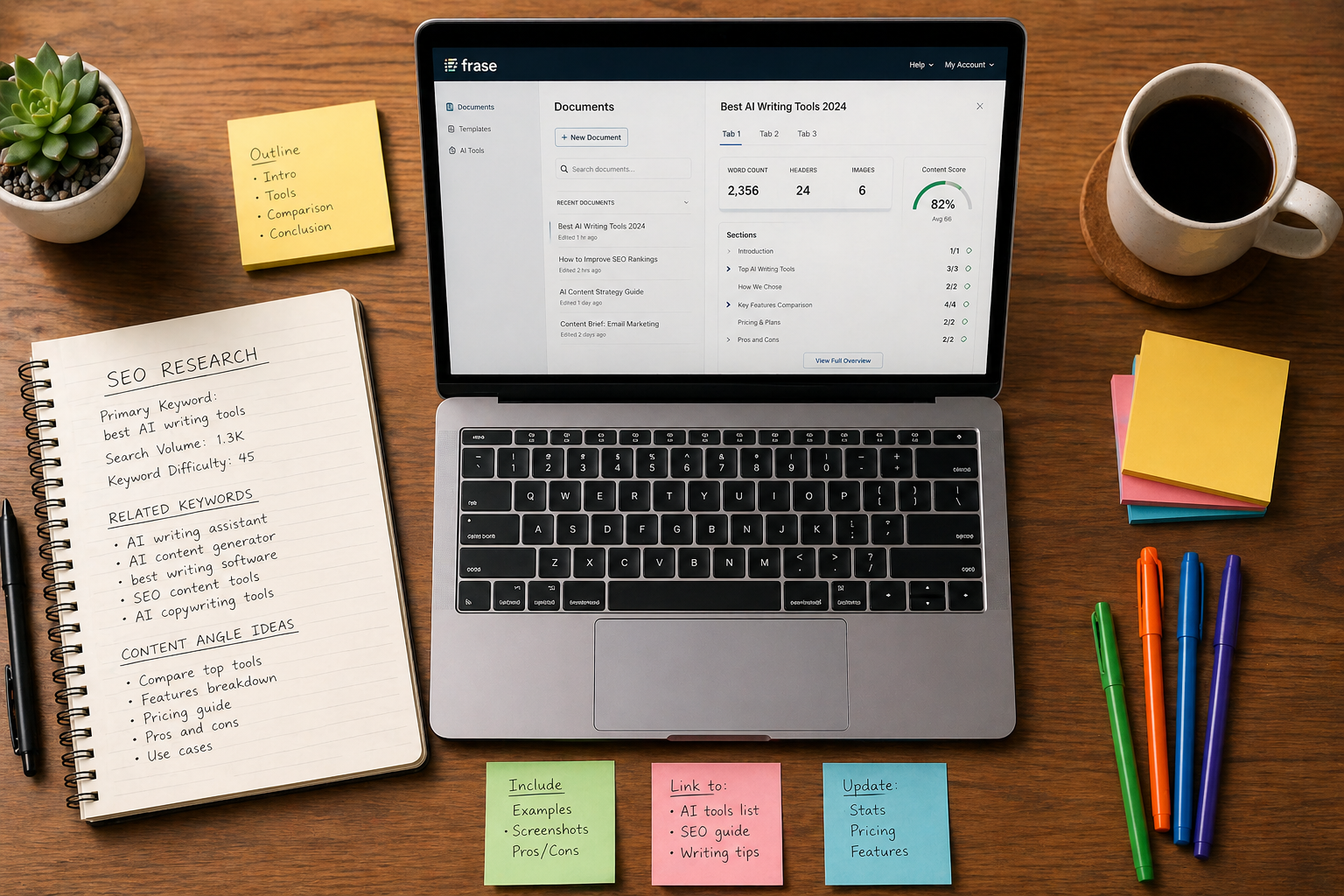
Once your document loads you’ll see the Frase editor with a right-hand panel showing SERP research data. This is the core of Frase’s value.
The right panel typically includes:
- Top URLs — the pages currently ranking for your keyword with their word counts and topic scores
- Headers — the H2 and H3 headings used by top-ranking pages
- Questions — questions people are asking related to your keyword (drawn from People Also Ask and similar sources)
- Topics — semantic terms and entities that top pages cover
Spend 5 minutes reviewing this data before writing anything. The Headers tab shows you the structure that works. The Topics tab shows you what semantic coverage your content needs. The Questions tab gives you FAQ content and heading ideas.
Step 3 — Build Your Content Brief (5 minutes)
Click Brief in the top navigation of your document. Frase will generate a structured content brief based on the SERP research — showing recommended headings, topics to cover, and questions to answer.
Review the brief and customize it:
- Add headings from the Headers tab that fit your angle
- Remove sections that aren’t relevant to your specific take
- Add your own headings for sections competitors don’t cover — this is where you create unique value
- Check the Questions tab and add the most relevant ones as FAQ headings
A good Frase content brief takes 5-10 minutes to build and saves 30-60 minutes of manual research. It also reduces the chance of missing important topics that affect your content score.
Step 4 — Write Using the AI Assistant (20-30 minutes)
With your brief built, start writing in the left-hand editor panel. You can write manually or use Frase’s AI writing assistant to generate sections.
To use the AI writer:
- Click at the end of a heading in your brief
- Trigger the AI writer (keyboard shortcut varies by browser and account — the in-app prompt will show you the current binding)
- Frase generates a section based on your heading and the SERP research context
- Read, edit, verify any external citations it inserts, and move to the next section
Pro tip: Don’t generate the whole article at once. Write section by section — the AI output is significantly better when it has the context of what you’ve already written above it.
Critical step: verify every external citation Frase inserts before moving on. This is the workflow correction that prevents the Citation Issue described above from reaching your readers. Internal links to your own crawled site can be trusted; external links to authorities (research papers, news sites, statistics) need a quick click-and-confirm. Plan two extra minutes per section for this.
As you write watch the Topic Score in the top right of the editor. This is your real-time SEO optimization score showing how thoroughly your content covers the recommended topics compared to competing pages.
Step 5 — Optimize Your Content Score (10 minutes)
Once your draft is complete focus on improving your topic score. In the right panel click Topics to see which recommended terms your content is missing.
For each missing topic:
- Green terms — already covered well
- Yellow terms — mentioned but could be covered more thoroughly
- Red terms — missing entirely from your content
Work through the red and yellow terms systematically. Most can be added naturally in a sentence or two. Aim for a topic score that matches or exceeds the average of your top 3 competitors — Frase shows you this benchmark clearly.
What score to aim for: Match the average of the top 3 ranking pages for your keyword. You don’t need to top the list — matching the average puts you in competitive range for rankings.
Step 6 — Optimize Title and Meta Description (5 minutes)
Before publishing use Frase’s title and meta description suggestions. In the document settings you’ll find recommendations for:
- Title length and keyword placement
- Meta description that includes target keyword
- URL slug recommendations
Step 7 — Move Content to Your CMS
Once your content is optimized and citations verified, move it into your CMS. Frase’s Integrations area exposes connections to Google Search Console and likely other platforms. Frase also offers Frase CMS, a built-in option to host and manage your published content on Frase itself (you select a site and Frase hosts it), in the app sidebar under “Site.” It’s a paid-plan feature, so it’s only available once you’re on a subscription. For most bloggers who already run WordPress (or Ghost), the safest path is to copy your finished, citation-verified draft into your own CMS and publish there so your existing themes, rendering, and SEO plugins behave as expected. Frase CMS is mainly useful if you don’t already have a site to publish to.
How to Use Frase.io’s Best Features for Bloggers
The Topic Score — Your Most Important Metric
The topic score is the single most important number in Frase.io. It measures how thoroughly your content covers the semantic topics that top-ranking pages cover. A higher topic score correlates with better Google rankings.
Think of it as a completeness percentage — how much of what Google considers important for this keyword does your content cover? Aim to match or beat the average score of your top 3 competitors.
The Questions Tab — Free FAQ Content
The Questions tab in the SERP research panel shows questions people are asking related to your keyword. These typically come from People Also Ask boxes and similar sources.
Every question in this tab is a potential H3 heading or FAQ entry. Adding well-answered questions to your content improves your topic score, adds word count naturally, and targets featured snippet opportunities.
Brand Profile — The Internal Link Accuracy Lever
Frase’s Brand Profile feature crawls your own site so the AI assistant has context for internal-link suggestions. This is the single most reliable part of Frase’s link insertion: in our hands-on testing, every internal link suggestion to a site Frase had crawled was accurate. If you only enable one Frase setting beyond the defaults, make it this one.
Content Analytics — Know Which Articles to Update
Once you’ve connected Google Search Console, Frase’s Content Analytics shows you which of your existing articles are declining in rankings. Instead of guessing which content to update, you get a prioritized list of articles losing traffic that need refreshing.
For bloggers with 10+ articles this feature saves hours every month — it tells you exactly where to focus your update efforts.
Templates — Skip the Research for Common Formats
Frase includes content templates for common blog formats — product reviews, how-to guides, comparison articles, and listicles. These pre-populate your document with a proven structure for that content type, reducing the time you spend building your brief from scratch.
How to Use Frase.io: Pricing and Plans
| Plan | Monthly | Annual (effective/mo) | Articles/month | Seats |
|---|---|---|---|---|
| Free trial | $0 (7 days, no card) | — | 5-article cap | 1 |
| Starter | $49 | $39 | 10 | 1 |
| Professional | $129 | $103 | 40 | 3 |
| Scale | $299 | $239 | 100 | 5 |
| Enterprise | Custom | Custom | Custom + SSO | Custom |
Frase also offers add-ons (extra articles, audit pages, visibility prompts) and additional seats at $29/seat/month above the Professional and Scale base plans. The older Solo / Basic / Team plan names you’ll see in third-party reviews are obsolete — the structure above is what’s live on frase.io/pricing in 2026.
For bloggers publishing weekly the Professional plan at $129/month is the practical choice — 40 articles covers a serious publishing schedule. The Starter plan at $49/month works if you publish 1-2 articles per week or fewer.
Start with the free 7-day trial. The 5-article cap is enough to run real articles through the complete workflow (including citation verification) and make a genuinely informed decision.
Start your free 7-day Frase.io trial →
Common Frase.io Mistakes to Avoid
Skipping the citation check
The most expensive mistake is publishing Frase-drafted content without verifying its external citations. Frase’s internal-link suggestions on crawled sites are accurate; its external citations frequently aren’t. Plan two extra minutes per section to click and confirm every external link before publishing. This single workflow addition keeps Frase a net positive for your publishing process.
Skipping the SERP research
The other big mistake beginners make is jumping straight to the AI writer without spending time in the SERP research panel. The research is what makes Frase valuable — the AI writer alone is good but not exceptional. Always spend 5-10 minutes in the research panel before writing a single word.
Chasing a perfect topic score
You don’t need to hit 100 on the topic score — you need to match the average of your top 3 competitors. Chasing a perfect score often leads to keyword stuffing and unnatural writing. Match the benchmark and focus the rest of your energy on writing content that’s genuinely better than what’s currently ranking.
Using Frase for every article
Frase is most valuable for articles targeting competitive keywords where rankings matter — product reviews, how-to guides, best-of roundups. For low-competition or purely informational content, the full SERP research workflow is overkill. Save your document credits for content where SEO performance directly impacts your income.
Ignoring the Questions tab
The Questions tab is one of Frase’s most underused features. It’s a direct window into what your readers want to know — and every question answered is a potential featured snippet. Make it part of your standard workflow to check this tab before finalizing your content brief.
Frase.io vs Other SEO Writing Tools
Wondering how Frase compares to other tools in your workflow? Here’s how it fits:
- Frase.io vs Rytr: Rytr is faster and cheaper for drafting. Frase is better for SEO optimization. Many bloggers use both — see our full Rytr vs Frase comparison
- Frase.io vs NeuronWriter: Both are strong SEO tools. Frase has better content briefs and a cleaner interface. NeuronWriter is cheaper. See our full NeuronWriter vs Frase comparison
- Frase.io vs Wisewand: Wisewand has a dedicated Affiliation mode and automatic internal linking. Frase has better content briefs. See our Wisewand review
- Frase.io vs ChatGPT: ChatGPT can’t access live SERP data. Frase’s SEO research is something ChatGPT simply can’t replicate. See our AI tools vs ChatGPT comparison
More Frase.io Resources
- Frase.io Review 2026 — Full Feature and Pricing Breakdown
- Rytr vs Frase.io — Which Tool is Right for You?
- NeuronWriter vs Frase.io — Which SEO Tool Wins?
- Best AI Writing Tools for Bloggers in 2026
- How to Write a Blog Post Faster with AI Tools
- Best Free AI Writing Tools in 2026
Frequently Asked Questions
Is Frase.io easy to learn for beginners?
Frase.io has a moderate learning curve — steeper than simpler tools like Rytr but manageable for most bloggers. Most users feel comfortable with the core workflow within 2-3 sessions. The free 7-day trial is the best way to find out if it clicks for you before committing to a paid plan.
How long does it take to write a blog post with Frase.io?
Following the workflow in this tutorial, a complete 1,500-word SEO-optimized blog post takes approximately 45-75 minutes from keyword to publish-ready draft — including a citation verification pass. The research and brief phases add time compared to a simple AI writer, but the SEO optimization is built in. Plan 5–6 minutes for the Write step itself; the rest is research, briefing, editing, and verification.
Can I use Frase.io without knowing SEO?
Yes — Frase is actually a great learning tool for SEO because it shows you exactly what good SEO content looks like. The topic score gives you immediate feedback on whether your content covers a subject thoroughly. Many bloggers learn more about SEO from using Frase than from reading about it.
How many articles can I write per month on Frase.io?
The Starter plan covers 10 articles per month, Professional covers 40, and Scale covers 100. For active bloggers publishing 2-3 times per week, the Professional plan at $129/month ($103/month on annual billing) is the practical choice. Each article uses one Write generation; Brand Profile crawls and topic-suggestion steps don’t consume article quota.
Who owns Frase.io?
Frase is owned by Copysmith, which acquired both Frase and Rytr in October 2022 and launched Copyrytr — the brand collective that houses Frase, Rytr, and Copysmith’s own product. We disclose this because most reviews of these tools online don’t mention the shared parent company, and reader trust matters more than the “competitors” framing that drives clicks.
Is this Frase.io tutorial based on real testing?
Yes — this tutorial is based on hands-on use of Frase.io across real test articles, including the citation verification finding described above. All workflow recommendations reflect actual use of the platform. For a complete feature and pricing breakdown see our full Frase.io review.
Disclosures
Affiliate disclosure: This article contains affiliate links to Frase.io. If you sign up through our links, we may earn a commission at no extra cost to you. Our recommendations are based on hands-on testing — including the Citation Issue described in this tutorial, which we cover transparently because publishing Frase-drafted content without verification has real cost. See our About page for our full editorial and affiliate policies.
Corporate relationships: Frase and Rytr are both part of Copyrytr — the brand collective formed when Copysmith acquired them in October 2022. NeuronWriter and Wisewand, mentioned in this article, are independent products not affiliated with either. That doesn’t change the recommendations above — we judge each tool on its own merits — but most reviews don’t mention it.
Editorial independence: Our verdicts come from hands-on testing, not commissions. Affiliate relationships never influence our rankings or recommendations.