Last updated May 21, 2026. We tested Frase on the 7-day free trial across two sessions in May 2026.
This article contains affiliate links; if you buy through them we may earn a commission at no extra cost to you. Full affiliate and editorial disclosures are at the end of this article.
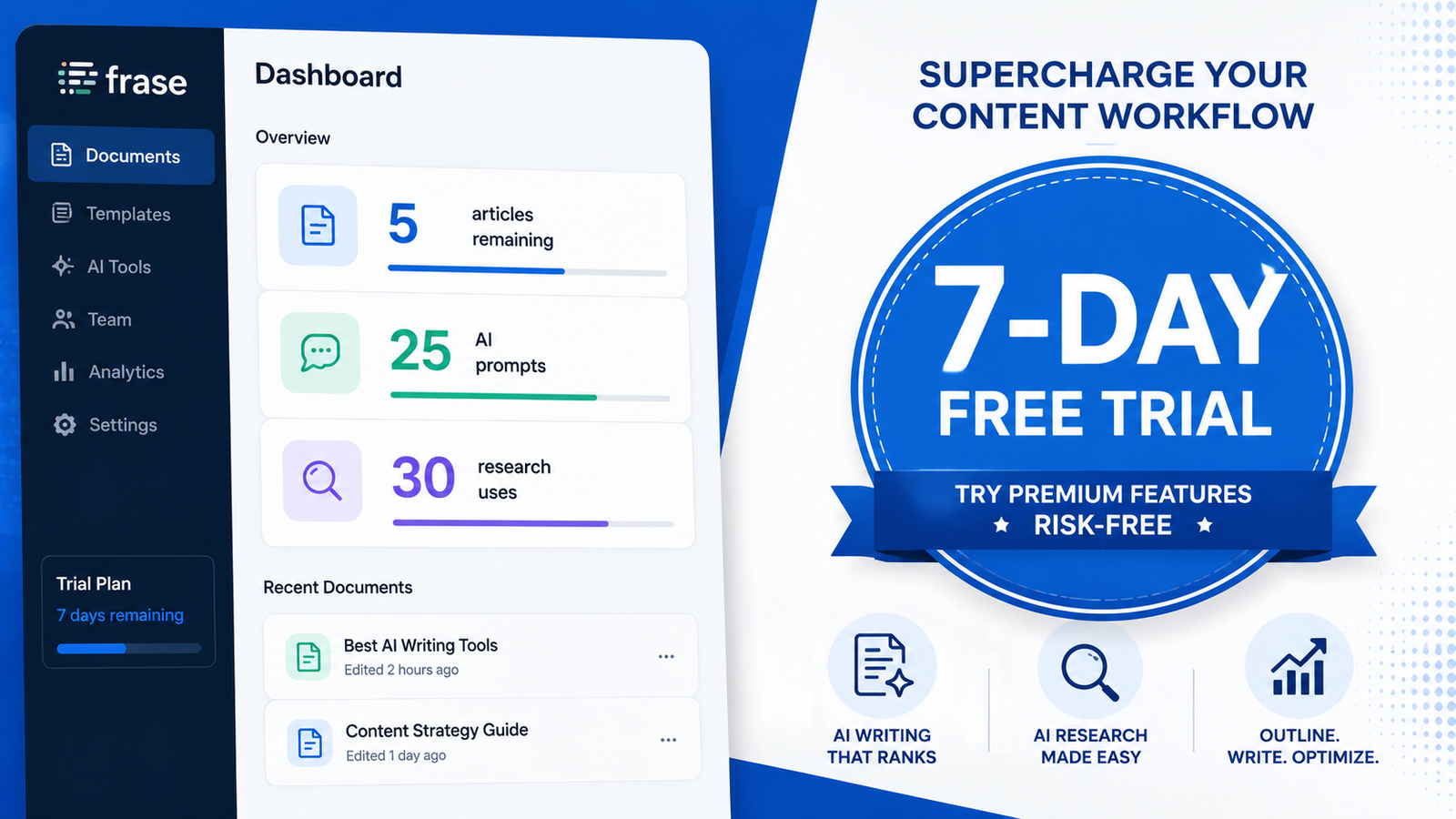
The Frase free trial advertises 7 days of full feature access, no credit card required. That’s all technically true. What the pricing page doesn’t mention is that “full feature access” comes with seven different quota counters, four different gating mechanisms, and a 5-article cap you only see after you sign up.
Bottom line upfront: The trial is genuinely generous on capability (you can touch every feature) and meaningfully limited on volume (5 articles, 2 reference documents, 1 domain). If you go in knowing what’s actually free and what hits a wall, you can run a real evaluation in a week. If you go in expecting Starter-plan headroom for a week, you’ll hit limits faster than you expect. Start the Frase 7-day free trial → (no credit card).
What “7-day free trial” actually means at Frase in 2026
Frase’s pricing page tells you three things about the trial: 7 days, no credit card, full feature access. Inside the dashboard you discover four more.
First, the 7 days are calendar days from signup, not from first use. If you sign up Monday evening and don’t open the dashboard until Wednesday, you’ve already burned two days. Plan your trial start for a day you can actually work with the tool.
Second, the trial is its own distinct plan — labelled “trial Plan” in Billing & Usage — not a free version of Starter. That matters because the quota structure doesn’t mirror Starter. You get more of some things (team seats) and less of others (article generations).
Third, “full feature access” means every feature button in the product works. It does not mean every feature is fully usable on day one. Several features are gated behind data prerequisites (your Google Search Console, your domain, your first piece of content) that you’ll need to set up before they’ll show you anything.
Fourth, the article cap is 5. That number does not appear on the pricing page or in the signup flow we walked through. It only shows up in the top-right quota badge once you’re inside the dashboard.
The 7 quota dimensions Frase tracks during the trial
This is the single most useful thing to know going in. Frase tracks seven separate counters during the trial, plus two status indicators. Most users only notice the headline one (“articles remaining”). The full picture from our Billing & Usage inspection:
| Counter | Trial limit | What consumes it |
|---|---|---|
| Articles | 5 | Full Write generations only |
| Hero Images | 5 | Auto-generated cover images during Write |
| AI Prompts | 25 | Frase calls these “Agent prompts” on paid tiers |
| Research | 30 | SERP / keyword research queries |
| Audit Pages | 50 | Site audit page count |
| API Requests | 250 | API + MCP access |
| Domains | 1 / 1 (full) | You can connect 1 site, no more |
| Team Seats | 3 (1 used) | You can invite 2 collaborators |
Two things are worth flagging here.
One: paid Starter, which costs $49/month month-to-month or $39/month on annual billing, gives you only 1 team seat. The trial gives 3. If you specifically need to evaluate Frase with a teammate, the 7-day trial is the only window you’ll get without paying for Professional ($129/month, 3 seats).
Two: the pricing page does not document the Research, API, or Hero Image counters at all for paid plans. We only learned they exist during the trial. If predictable consumption is important to you, ask Frase support to confirm the corresponding paid-plan caps before you upgrade.
What did NOT consume article quota in our test
This is the good news, and it’s why we say the trial is genuinely generous on exploration even though 5 articles sounds tight.
Across our first session we ran a Business Analysis (homepage crawl plus AI analysis), generated a full Brand Profile (a 9-section output), generated a competitor list with 12 entries and keyword data, and pulled a topic-suggestions query that returned 5 results with keyword volumes and difficulty scores. Every one of those is an AI-driven workflow that does substantive work. After all of it the dashboard showed 5 / 5 articles remaining and 0 consumption on AI Prompts, Research, and Audit Pages.
The practical implication: you can spend most of your first day or two exploring Frase’s research and brief tooling without burning any article quota. That’s where the platform’s strongest features live anyway. Save your article generations for the back half of the trial, after you’ve used Research and Briefs to understand what Frase will actually produce.
One caveat. We could not determine why those workflows didn’t consume metered counters. Either they’re unmetered during the trial, the counters lag, or Frase tracks consumption against dimensions not exposed in the Billing & Usage page. We can describe what we observed; we can’t explain the mechanism.
What’s gated behind what (the part Frase doesn’t tell you)
The Home dashboard shows six sections. Each has its own gating prerequisite. We mapped them during testing:
- Quick Wins — requires Google Search Console connection. Until you connect GSC, the section shows an empty state with a “Connect Search Console” button. No data is visible.
- AI Visibility — requires a site added to your workspace. This one is a gotcha: the Home dashboard’s “Add First Prompt” CTA suggests you can start by adding a prompt, but clicking through it routes you three levels deep into a “No site selected” dead-end empty state. You have to back out and use the workspace-level “+ Add a site” button first.
- Content Gaps — requires Google Search Console connection (same as Quick Wins).
- Content Health — requires you to create an article first. The empty state says “Create Your First Article” with a green CTA.
- Opportunities — requires a site URL added to your workspace. Different from AI Visibility’s site requirement in that no domain verification is needed; you just paste a URL.
- What Works — passive. No action is requested. The empty state says “Check back shortly — this usually takes just a few minutes,” which is a bit nonsensical on a fresh account with no content. We read it as placeholder copy meant for active accounts that wasn’t tailored for the first-load scenario.
The summary: four different prerequisites unlock four different parts of the dashboard. Two of them (Quick Wins, Content Gaps) need Google Search Console for an already-indexed site. If you’re evaluating Frase for a brand-new domain with no GSC history, you cannot meaningfully test those two features during the trial. That’s not Frase’s fault — those features simply need historical search data — but the trial doesn’t make this clear up front.
The Reference Docs cap is 2 (and not on the pricing page)
Frase positions Reference Documents as a key brand-governance feature. They sit in the Brand Hub and you can upload examples of your previous content. Frase claims to apply these documents to AI generation to enforce your brand voice and terminology.
The trial caps you at 2 reference documents. After the second upload, the Reference Docs list shows a “Limit reached” badge and the upload button stops working. We discovered this when we tried to upload a third document during our second test session.
Why this matters: if you have multiple content categories (say, a tutorial voice and a comparison-review voice), or multiple audience personas, 2 documents is not enough to meaningfully test whether Frase respects reference material across a varied content portfolio. The Brand Hub will look like it’s doing brand-governance work, but you won’t be able to push it hard enough to know whether the work is real.
This cap is not documented on the public Frase pricing page that we could find. If you need to evaluate Reference Docs seriously, plan to do it on a paid plan rather than during the trial.
The “1d remaining” countdown bug
Worth knowing because it could waste a day of your trial.
The trial countdown badge in the top-right rounds up. During our second test session we saw the badge show “1d” remaining at 1:48 PM. The trial actually expired at 5:52 PM the same day — four hours later, not a full day.
If your countdown shows “1d,” do not assume you have a full day of buffer. Check the Billing & Usage page (Settings → Billing & Usage) for the precise trial-end timestamp before planning your final test runs.
What’s still worth testing during the trial
Here’s a tactical 7-day plan, ordered to maximize what you learn before spending an article credit.
Day 1. Add your site and connect Google Search Console (if you have one). Run a Brand Profile generation. Walk the dashboard with the Home sections in mind so you know what’s gated where. Cost: zero article quota.
Day 2. Run a Research query for a keyword you’re considering writing about. Look at the SERP analysis, the Headers and Questions tabs, and Frase’s automatic competitor identification. This is where Frase’s value-per-dollar is highest — verify it works for your niche. Cost: zero article quota.
Day 3. Build a Brief from one of your Research results. Customize it. This is the workflow that justifies the Starter price for most bloggers. If briefs save you 30–60 minutes per article, the tool pays for itself. Cost: zero article quota.
Day 4. Generate your first article from one of your briefs. Pay attention to two things during the Write step: how Frase handles internal links to your existing content (in our test, 4 of 4 internal links were accurate), and how it handles external citations. Click through every external link Frase generates and verify the destination supports the claim being made. We have documented a citation accuracy problem in the published Frase Review — confirm whether your generation shows the same pattern. Cost: 1 of 5 articles.
Day 5. Run a Site Audit on your domain (up to 50 pages on the trial). This will surface technical and content opportunities Frase wants you to fix. Even if you don’t subscribe, the audit output is useful. Cost: zero article quota.
Day 6. Generate a second article, but pick a topic where you have strong domain expertise so you can judge accuracy. This second generation tells you whether the first article’s quality was representative or a one-off. Cost: 2 of 5 articles.
Day 7. Make your subscription decision. By now you’ve used Research, Briefs, Write (twice), Site Audit, and possibly AI Visibility. You’ll know whether the brief-building speed alone justifies $49/month, or whether you’d be paying mostly for features you won’t use. Whatever you decide, do it before the countdown badge starts rounding up.
You can complete this whole plan and still have 3 articles, 23 AI Prompts, 28 Research queries, and 50 audit pages of headroom left over. The trial is not nearly as tight as the “5 articles” framing suggests, if you spend the early days on research and briefs rather than article generations.
What you cannot meaningfully evaluate on the trial
To save you the wall-hitting:
- Reference Docs at scale. The 2-doc cap means you can prove the upload mechanism works, but not whether brand-governance scales across a real content portfolio.
- Team workflows. The 3 team seats let you invite collaborators, but 7 days isn’t enough for a real review-and-approval cycle.
- AI Visibility at full breadth. Frase tracks 8 AI platforms (ChatGPT, Perplexity, Claude, Gemini, Google AI Overviews, Grok, Copilot, DeepSeek), but the trial-tier prompt limits and the Starter-tier 2-platform cap mean you’ll see results from a subset, not the full picture.
- Quick Wins and Content Gaps for new sites. Both features need GSC data that doesn’t exist yet for new domains.
- Content Health over time. The feature tracks how your published content performs over weeks and months. 7 days isn’t enough to see signal.
- The WordPress publishing integration end-to-end. We didn’t fully test this during our review and can’t confirm whether it works as advertised on the trial. If WordPress publishing is your deciding factor, contact Frase support to confirm before signing up.
Frequently asked questions about the Frase free trial
Does the Frase trial require a credit card?
No. The signup flow does not request a credit card. You enter your email, set a password, and you’re in. This was verified during our May 2026 testing.
How many articles do I get during the Frase trial?
5 articles for full Write generations. The cap is enforced by a “5 articles remaining” counter in the top-right of every screen. This number is not disclosed on the public pricing page; you only see it once you’re inside the dashboard.
What happens to my data if I don’t subscribe?
We can’t confirm Frase’s data retention policy from external testing. Before you upload anything sensitive (reference documents, internal SEO data, site content), check Frase’s privacy policy or contact support. If you do subscribe later, your trial data should carry over within the same account.
Can I get a refund if I subscribe and don’t like it?
Frase’s public pricing page does not prominently advertise a refund policy. The 7-day free trial is positioned as the primary risk-mitigation mechanism. If you need a refund window beyond the trial, ask Frase support for the policy in writing before subscribing.
Is the Frase trial the same as the Starter plan?
No. The trial is labelled “trial Plan” in Billing & Usage and is a separate SKU. Quota dimensions differ from Starter — the trial gives you 5 articles instead of Starter’s 10/month, 25 AI Prompts instead of Starter’s 50, but 3 team seats instead of Starter’s 1. The trial is generous on team seats specifically.
Can I extend the Frase free trial past 7 days?
We have not tested whether Frase support will extend a trial. The countdown enforces strictly — our second test session ended automatically when the timer hit zero. If you need more time, your options are to upgrade to a paid plan or ask Frase support before the trial ends.
What’s the cheapest way to keep using Frase after the trial?
Starter on annual billing at $39/month (billed yearly, so $468 upfront). Starter on monthly billing is $49/month. If you publish fewer than 10 articles per month and one seat is enough, Starter covers most blogger workflows. The trial is your chance to verify that before committing.
Is Frase better than free tools like ChatGPT for content?
Different tools for different work. ChatGPT generates text from a prompt. Frase analyzes top-ranking SERP results, builds research-grounded briefs, scores your draft against competitor coverage, and tracks how AI platforms reference your brand. We covered the comparison in detail in our AI Writing Tools vs ChatGPT article — short version: ChatGPT is cheaper for raw text generation, Frase is more useful for SEO-driven content workflows.
What’s an alternative to the Frase trial if I want something cheaper long-term?
Rytr offers a permanent free plan with 10,000 characters per month — useful if you need an always-available AI writing tool rather than a 7-day trial. Rytr does less than Frase (it doesn’t do SERP research or AI Visibility tracking), but the paid Unlimited plan is $9/month versus Frase’s $49/month. See our Rytr free plan guide for what 10,000 characters actually gets you.
Is this article based on a real test of the Frase trial?
Yes. We tested Frase on the 7-day free trial across two sessions in May 2026. The quota dimensions, gating prerequisites, and “1d remaining” countdown behavior described above are all observations from real test runs. Pricing and trial terms were verified on frase.io/pricing on May 21, 2026.
Ready to start your Frase trial?
The Frase free trial is genuinely worth taking if you’re evaluating Frase seriously. The combination of no credit card, 7 days, and full feature access (with the caveats above) is one of the more generous SaaS trials in the SEO content tooling space. Just go in with a plan — research and briefs first, articles second, decision on day 7 — rather than burning your 5 article credits on day one experimentation.
Start the Frase 7-day free trial → (no credit card required)
For the full hands-on review including pricing analysis, citation accuracy findings, and who should actually buy Frase, see our Frase.io Review 2026. For the step-by-step tutorial on using Frase once you’ve signed up, see How to Use Frase.io. And if you’d rather skip the trial entirely and go with a tool that has a permanent free tier, our Best Free AI Writing Tools 2026 roundup covers your options.
Disclosures
Affiliate disclosure: Daily AI Reviews participates in the Frase affiliate program. If you start a trial through links in this article and later subscribe to a paid plan, we may earn a commission at no extra cost to you. Our recommendations are based on hands-on testing; affiliate relationships do not change findings.
Corporate relationships: Frase is part of Copyrytr — the brand collective formed when Copysmith acquired Frase and Rytr in October 2022. We also review and recommend Rytr (also a Copyrytr tool). NeuronWriter, referenced here, is an independent product. That doesn’t change our recommendations — we judge each tool on its own merits — but most reviews online don’t mention it.
Editorial independence: Our verdicts come from hands-on testing, not commissions. Affiliate relationships never influence our rankings or recommendations.
Testing basis: This article is based on hands-on testing conducted on the Frase 7-day free trial across two sessions: May 14–15, 2026 (desktop) and May 21, 2026 (mobile). Trial mechanics, quota dimensions, gating prerequisites, and countdown behavior were observed directly. Pricing and trial terms were verified on frase.io/pricing on May 21, 2026.